NXP Kinetis and S32K1 pinctrl in the Devicetree Manager
On NXP Kinetis (K, KL, KE, KV, KW and K32L) and S32K1, a peripheral points to a pin group node of its own, <peripheral>_default, and the node's group lists the pins. Each pin is a name from NXP's pin header for your chip: UART1_RX_PTC3 is UART1 RX on pin PTC3.
uart1_default: uart1_default {
    group0 {
        pinmux = <UART1_RX_PTC3>, <UART1_TX_PTC4>;
        drive-strength = "low";
        slew-rate = "fast";
    };
};
The screenshot uses the FRDM-K64F board.
What Generate writes
When the peripheral has no pin group yet, the manager creates one and points the peripheral at it. For UART1 on PTC3 and PTC4:
&uart1 {
    status = "okay";
    pinctrl-0 = <&uart1_default>;
    pinctrl-names = "default";
};

&pinctrl {
    uart1_default: uart1_default {
        group0 {
            pinmux = <UART1_RX_PTC3>, <UART1_TX_PTC4>;
            drive-strength = "low";
            slew-rate = "fast";
        };
    };
};
When the peripheral already has a group, the new pin goes in it.
The settings follow NXP's boards:
| Pins | Settings |
|---|---|
| Kinetis | drive-strength = "low", slew-rate = "fast" |
| Kinetis I2C | drive-open-drain too |
| Kinetis Ethernet MDIO | drive-open-drain and bias-pull-up too |
| S32K1 | drive-strength = "low" (S32K1 pins have no slew rate setting) |
| S32K1 Ethernet MDIO | bias-pull-up too |
On Kinetis parts that have a slew rate setting, every pin group needs one, or the build fails. Keep slew-rate when you edit a group.
FlexTimer pins (PWM)
A FlexTimer (FTM) that the board leaves as a timer takes no pins. When you give it its first channel pin, the manager also makes it a PWM controller. On the FRDM-KE17Z, FTM1 channel 1 on PTA1 gives:
&ftm1 {
    pinctrl-0 = <&ftm1_default>;
    pinctrl-names = "default";
    compatible = "nxp,ftm-pwm";
    #pwm-cells = <3>;
};
Unassigning that pin takes the change back. To use the FTM, set its status to okay, and its clock-source if the header asks for it. To drive an output from your application, see PWM.
Ethernet pins
An Ethernet pin can belong to the MAC, the MDIO bus or the PTP clock. When you click one, pick the node under Target DT node (type enet to filter).
Change pin settings
Open the pinctrl node, then its Groups tab:
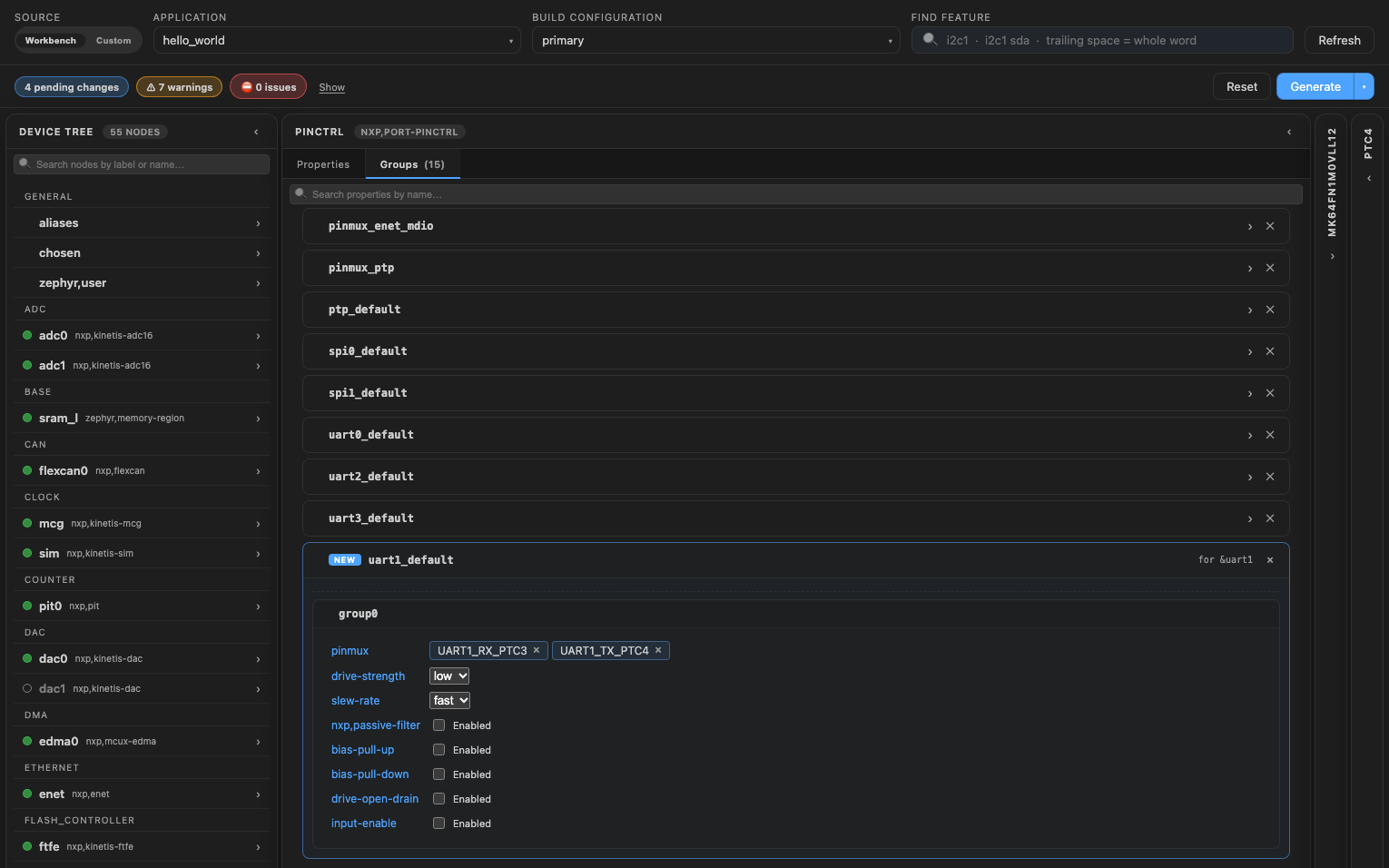
The board's own groups open from the same tab, like any node.