I2C in the Devicetree Manager
A Zephyr I2C bus is a controller node with two pins, SCL (clock) and SDA (data), plus one child node per device on the bus. The Devicetree Manager sets up the controller, checks its pins and writes the result to your devicetree overlay.
The screenshots use the STM32F4 Discovery board (stm32f4_disco). The steps are the same on the other supported vendors.
Set up the controller
- Select the controller in the Device Tree list, for example
i2c2. - If its
statusisdisabled, set it tookay. - Type the controller in the "Find feature" box (
i2c2). The pads that can carry its signals light up on the chip. - Click a pad, then click SCL in the Functions card. Do the same for SDA. Until both are set, the header shows an issue: "i2c2 validation error: SDA signal is missing."
- Set the bus speed in
clock-frequency, in Hz:100000(standard mode),400000(fast mode) or1000000(fast mode plus).
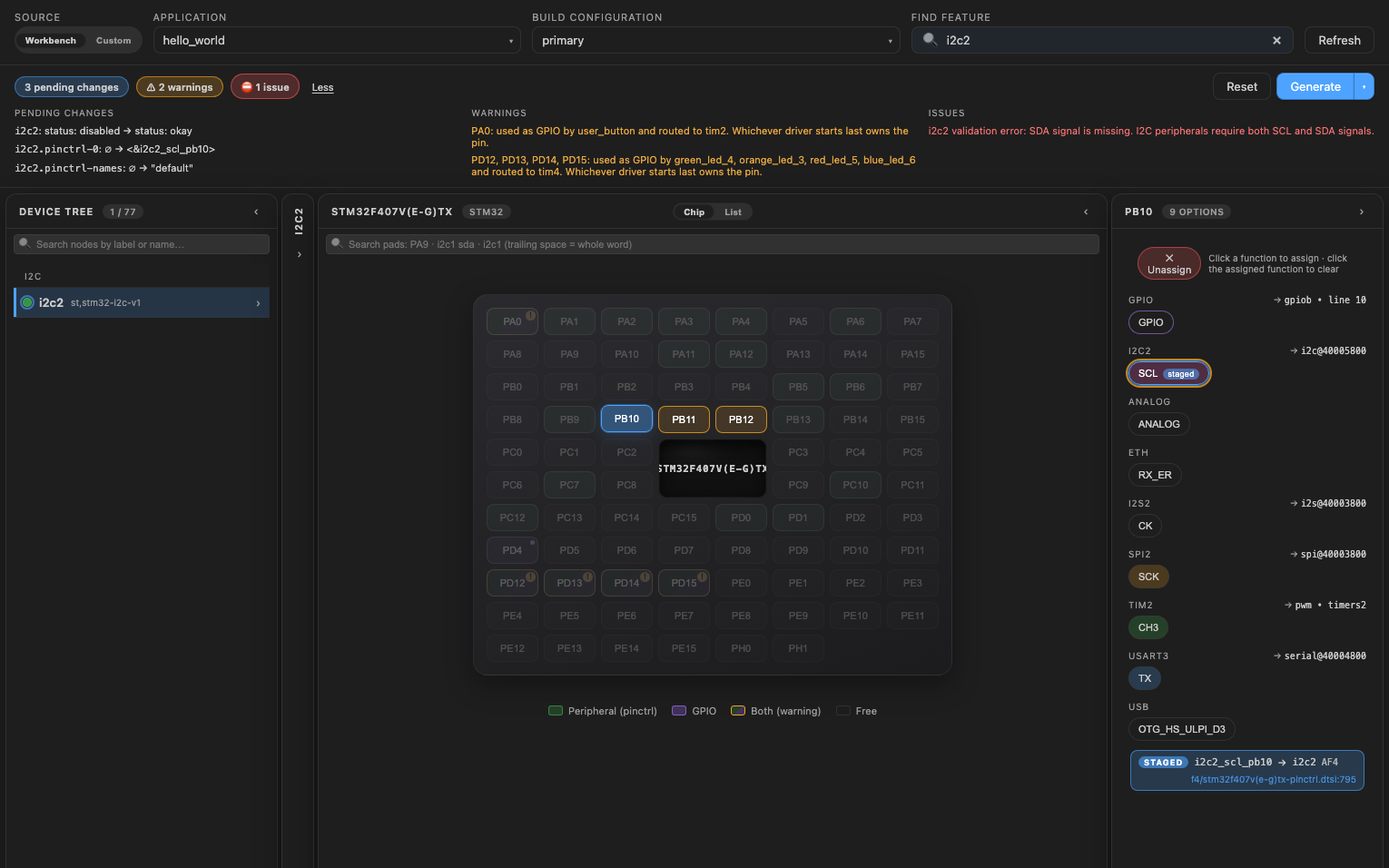
Devices on the bus
Each device on the bus is a child node of the controller, and its reg is its address on the bus. Open the controller's Children tab to edit them.
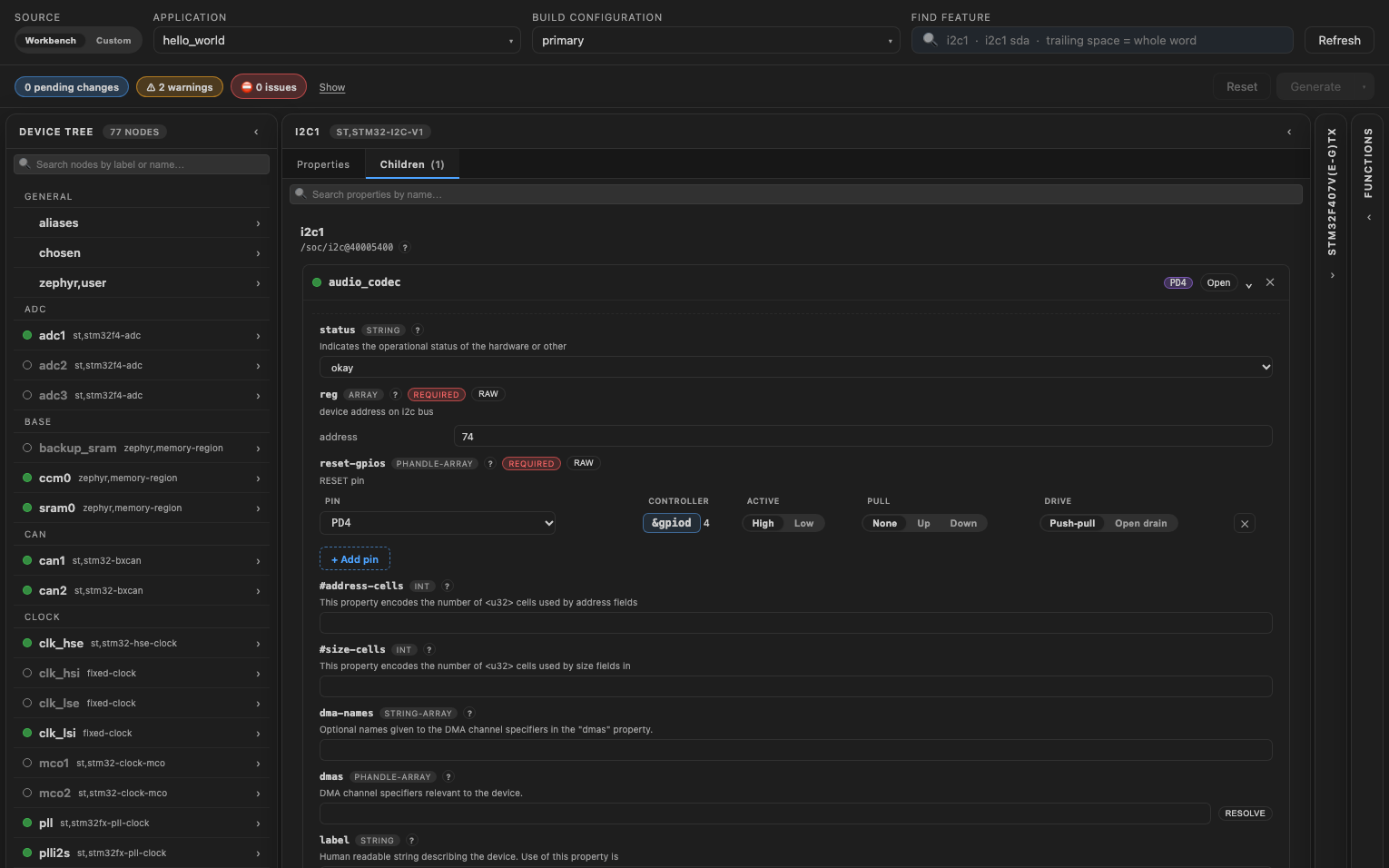
The Children tab lists the devices the board or your overlay already puts on the bus. To add a device, write its node in the overlay, outside the generated block, then rebuild:
&i2c1 {
    temp_sensor: tmp112@48 {
        compatible = "ti,tmp112";
        reg = <0x48>;
    };
};
Write the overlay
Click "Generate" to write your changes to the overlay, then rebuild the application. See Generate the overlay.