NXP MCX pinctrl in the Devicetree Manager
On NXP MCX (MCX N, A, C and W), a peripheral points to a pinmux node of its own, and the node's groups list the pins. Each pin is a name from NXP's pin header for your chip: FC4_P0_PIO1_8 is FlexComm 4 pin P0 on port 1, pin 8.
pinmux_flexcomm4_lpuart: pinmux_flexcomm4_lpuart {
    group0 {
        pinmux = <FC4_P0_PIO1_8>, <FC4_P1_PIO1_9>;
        slew-rate = "fast";
        drive-strength = "low";
        input-enable;
        bias-pull-up;
    };
};
The screenshots use the FRDM-MCXN947 board.
This page covers NXP MCX. Kinetis and S32K1 and LPC have their own pages. On i.MX RT, the chip view shows an unsupported state, and the rest of the editor keeps working.
FlexComm pins
A FlexComm runs as a UART, an I2C or a SPI, and each mode is a node of its own: flexcomm8_lpuart8, flexcomm8_lpi2c8, flexcomm8_lpspi8. Its pins are named P0 to P6. Which signal each one carries depends on the mode: see your MCU's reference manual.
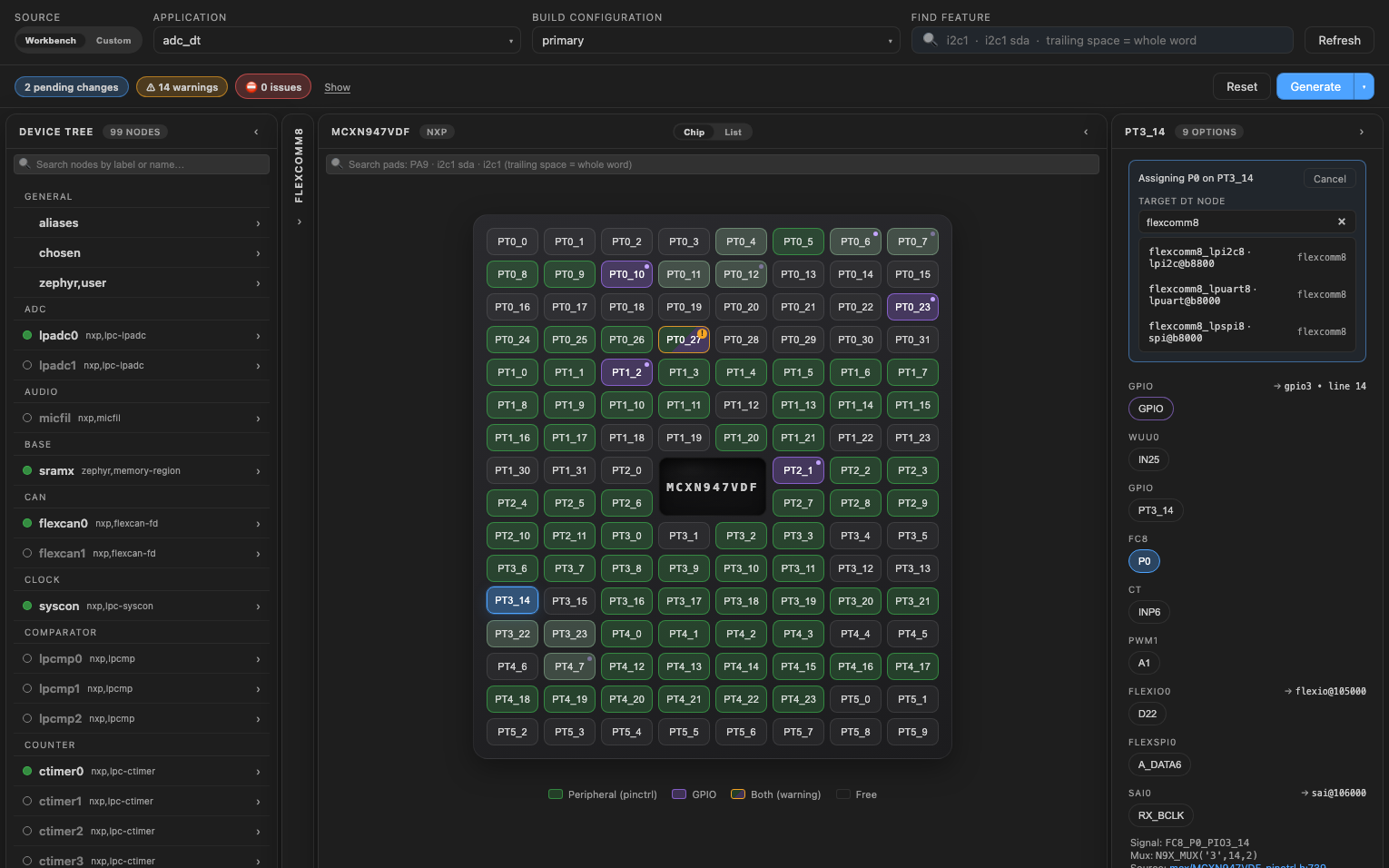
So when you click a FlexComm pin, the manager asks which node takes it:
- Turn on the FlexComm (
flexcomm8) and the node of its mode (flexcomm8_lpuart8): set bothstatustookay. - Click the pad, then the pin (P0, P1, ...) in the Functions card.
- Under Target DT node, type the mode (for example
lpuart8) and click the node.
What Generate writes
When the peripheral has no pinmux node yet, the manager creates one, pinmux_<node>, and points the peripheral at it:
&flexcomm8_lpuart8 {
    status = "okay";
    pinctrl-0 = <&pinmux_flexcomm8_lpuart8>;
    pinctrl-names = "default";
};

&pinctrl {
    pinmux_flexcomm8_lpuart8: pinmux_flexcomm8_lpuart8 {
        group0 {
            pinmux = <FC8_P0_PIO3_14>, <FC8_P1_PIO3_15>;
            drive-strength = "low";
            slew-rate = "fast";
            input-enable;
        };
    };
};
When the peripheral already has one, the new pin goes in its existing group.
Change pin settings
A new group starts with drive-strength = "low" and slew-rate = "fast", plus input-enable for peripherals that read their pins (not for PWM, ADC, comparators and DACs). To change them, open the pinctrl node, then its Groups tab:
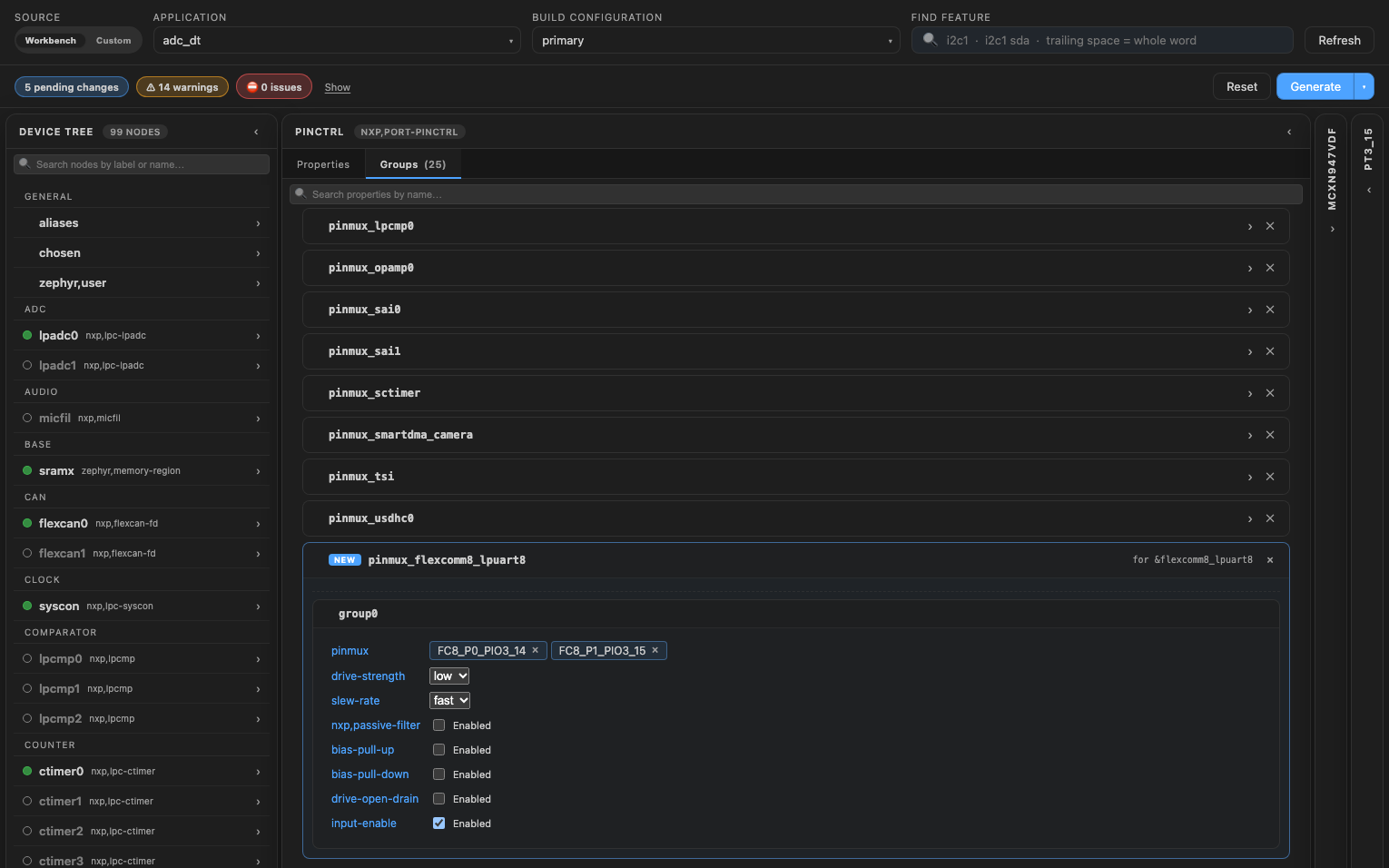
The board's own groups open from the same tab, like any node.