Change Toolchain
To switch the toolchain used for building an application, right-click on the application > Build Configuration > Change Toolchain. You can also right-click directly on the toolchain child row of the application.
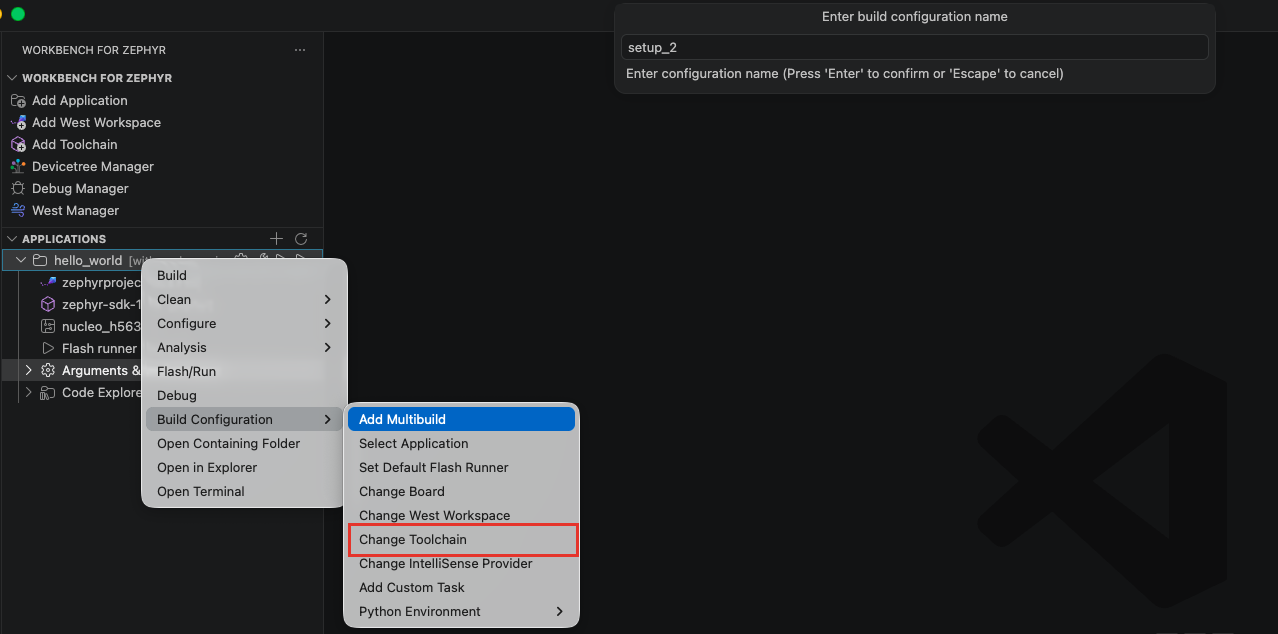
A quick pick lists every toolchain known to the extension:
- "Global Zephyr SDK" (when one is auto-detected on the system)
- The installed Zephyr SDKs
- IAR toolchains
- ARM GNU toolchains
- Rust toolchains, shown with their linked C toolchain
Select the desired toolchain, then press ENTER to confirm your choice. If the selected Zephyr SDK includes LLVM, a second selector asks for the SDK variant: "GNU GCC" or "LLVM CLANG".

The selected toolchain is used for all subsequent builds of the application. To install a toolchain that is not listed yet, see Toolchains.
Changing the toolchain removes the application's existing debug launch configurations, since they point at the previous toolchain's debugger. Recreate them with the Debug Manager before debugging again.
Ensure that the selected toolchain is compatible with the board and Zephyr version in use. The toolchain row in the "Applications" view shows a warning when the SDK does not match the workspace's Zephyr version.