Sysbuild
To enable or disable Sysbuild for your application, right-click on the application > Configure > Sysbuild > Enable (or Disable).
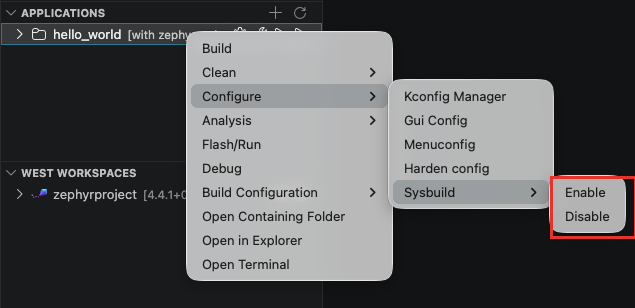
Enabling Sysbuild activates the Zephyr system build, allowing the application to be built with multiple CMake projects in a single invocation. This is particularly useful when working with MCUboot, multi-image builds, or additional subsystems.
Disabling it returns the application to a single-image build workflow.
With several build configurations, the setting applies per configuration: from the application menu it targets the active configuration; right-click on a build configuration > Configure > Sysbuild to target another one.
Only enable Sysbuild if your project structure requires it (e.g., multi-image setups or MCUboot integration).