Gui Config
To edit the application Kconfig using guiconfig (a graphical configuration tool that opens in its own window), go to the "Applications" view, right-click on the application > Configure > Gui Config. With several build configurations, the tool edits the active one: use Set Active on the target configuration first (see Multibuild).
You can also click the inline wrench icon shown when hovering the application (or a build configuration) in the "Applications" view.
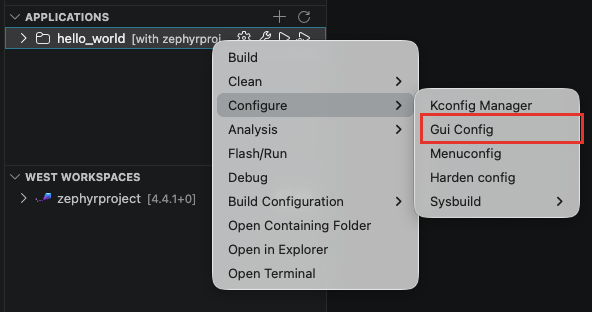
The command runs west build -t guiconfig in the application's terminal.
tip
Prefer a graphical editor integrated in VS Code? Use the Kconfig Manager, first entry of the same "Configure" submenu.