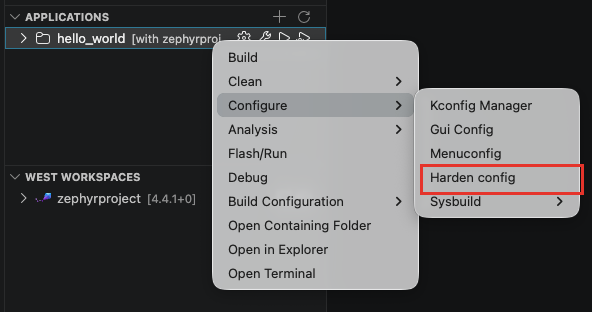
Harden Config
Run the hardening tool to analyze the application configuration against a set of hardening preferences defined by the Zephyr Security Working Group.
To run it, go to the "Applications" view, right-click on the application > Configure > Harden config. With several build configurations, the tool analyzes the active one: use Set Active on the target configuration first (see Multibuild).
The result is displayed in the terminal and shows each configuration option, its current value and the recommended value.
For more information about the Hardening Tool, please refer to the Zephyr Project documentation.