Puncover
Based on the third-party tool puncover, this feature runs a local web server that provides a webpage view of the RAM, ROM and stack usage.
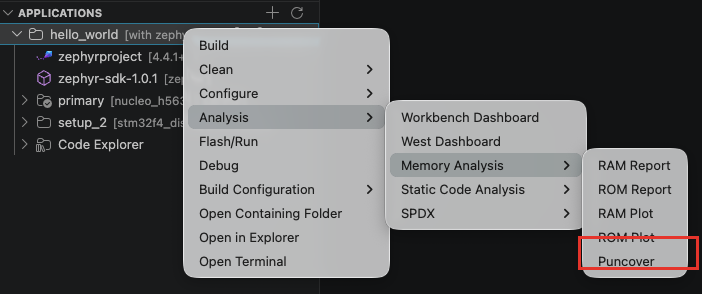
To run Puncover, right-click on the application > Analysis > Memory Analysis > Puncover.
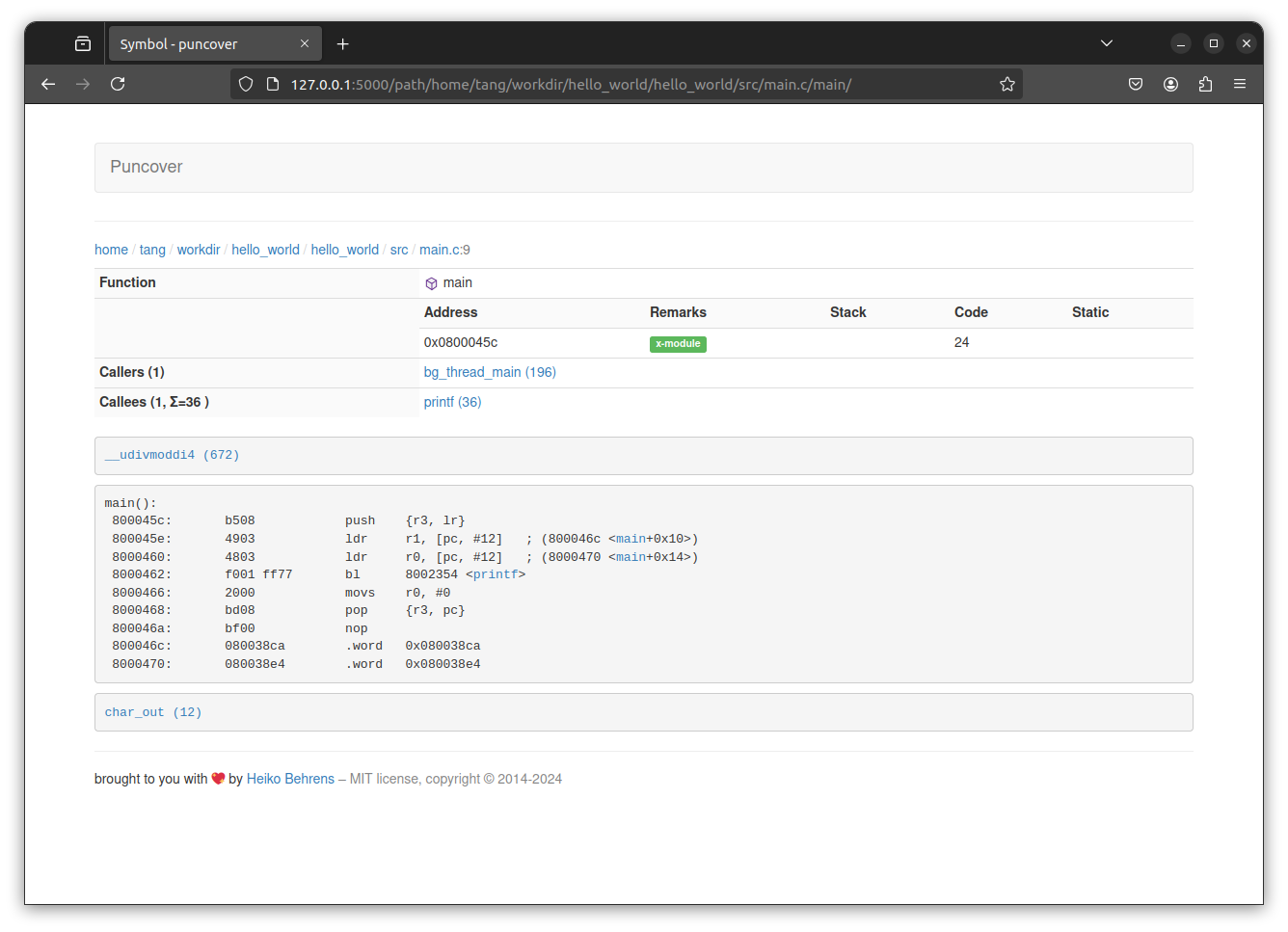
When the local web server is started, the webpage should automatically be opened.
To stop Puncover local server, click on the "Terminate" button on the bottom-right notification.

note
The notification may disappear after a short time. To display it again, click the notification bell button in the status bar.
tip
For memory usage visualization inside VS Code, see the Workbench Dashboard. For hierarchical memory charts, see RAM Plot and ROM Plot.